
Smart Invoice
ZRA Smart Invoice, built in.
KULA sends your sales to ZRA, so you don’t need a separate machine.
Who needs it
Whether you need Smart Invoice depends on your tax registration with ZRA.
- VAT registered: it is required, and every sale must go through it.
- Turnover Tax: it is expected by law, but ZRA has not set an enforcement date. KULA lets you turn it on when you are ready.
- Not registered with ZRA: it is not available, and KULA works as a point of sale without it. Your receipts are ordinary receipts.
Binary Systems is not a tax adviser. If you are unsure which applies to you, ask ZRA or your accountant.
How KULA handles it
- Once Smart Invoice is on, KULA sends every sale to ZRA in the background, so the customer never waits for ZRA at the counter.
- The receipt from the counter is normally printed before ZRA has answered, so it is an ordinary receipt.
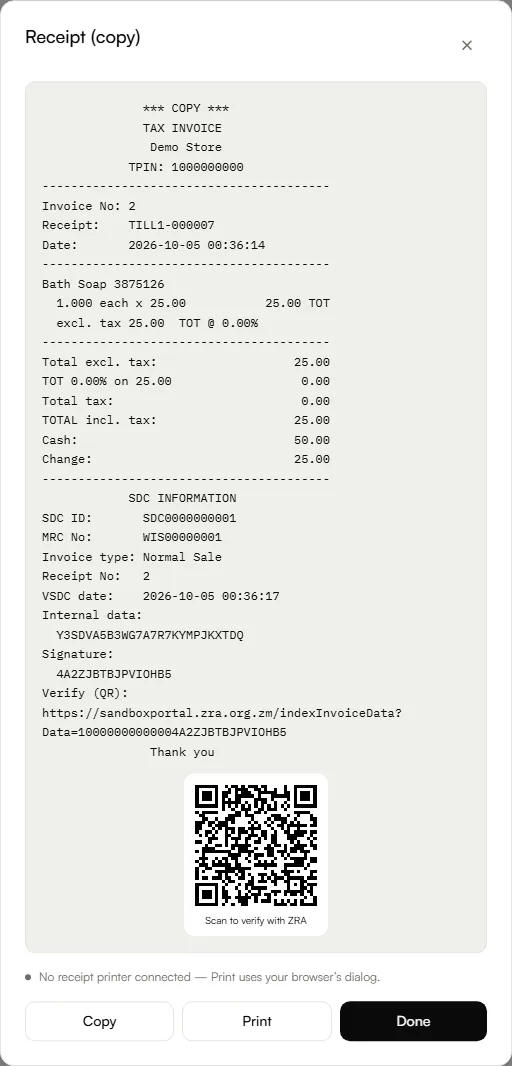
- Once ZRA accepts the sale, reprint it to give the customer a tax invoice with your TPIN, the ZRA invoice number, the SDC ID and a QR code they can scan to check it on ZRA’s website.
- KULA also issues credit notes for returns and debit notes for extra charges. A credit note puts the stock back and shows the refund to pay the customer; a debit note collects for something left off a sale.
Setting it up
- You sign up for Smart Invoice with ZRA yourself, on ZRA’s website.
- Every active location needs its own ZRA device, linked in KULA, before Smart Invoice can be turned on.
- Only the Owner can initialize a ZRA device, and it cannot be undone.
- Every product needs a ZRA classification. ZRA rejects a sale that includes a product without one.
See KULA in action.
Try the demo in your browser, or tell us about your shop and we’ll arrange a demo.